
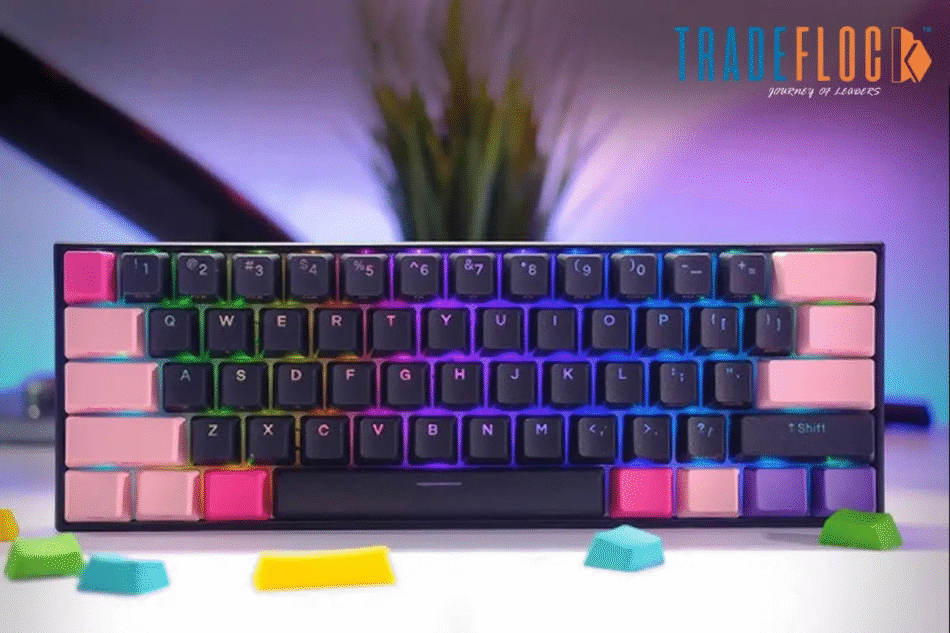
Mechanical keyboards have become extremely popular among gamers, programmers, and productivity users — and the Anne Pro 2 is one of the most loved 60% mechanical keyboards in the world. Compact, wireless, and highly customizable, the Anne Pro 2 stands out because of its advanced programming capabilities. At the center of all this customization is the Anne Pro 2 software, a powerful tool that allows users to personalize their keyboard experience in countless ways.
If you are new to the keyboard or looking to unlock its full potential, understanding how the Anne Pro 2 software works is the first step. This guide will explain its features, setup process, customization options, and how it enhances your overall keyboard performance.
What Is Anne Pro 2 Software?
The Anne Pro 2 software — also known as ObinsKit — is the official configuration tool designed specifically for the Anne Pro 2 mechanical keyboard. It gives users full control over key mapping, RGB lighting, macros, layers, profiles, and firmware updates.
While the keyboard is highly functional even without the software, installing ObinsKit takes the Anne Pro 2 experience to the next level by enabling deep customization. Whether you’re a gamer, coder, or casual user, the software helps you tailor the keyboard to your workflow and preferences.
Why You Need the Anne Pro 2 Software
There are many 60% keyboards in the market, but the Anne Pro 2 stands out because almost every feature can be personalized. Here’s what the software allows you to do:
1. Customize Every Key on the Keyboard
You can remap each key to perform different functions, shortcuts, or actions. This is especially useful for:
-
Programmers who want custom shortcuts
-
Gamers who need fast macro keys
-
Productivity users who want to optimize their workflow
The Anne Pro 2 software lets you create unlimited combinations effortlessly.
2. Configure RGB Lighting Effects
The Anne Pro 2 is known for its vibrant RGB lighting. Through the software, you can choose:
-
Static colors
-
Breathing effects
-
Reactive effects
-
Rainbow modes
-
Custom color patterns
-
Per-key RGB customization
You can match the keyboard lighting to your setup or gaming environment with ease.
3. Create Custom Macros
Macros are powerful tools for gamers and professionals. Using the software, you can assign a sequence of actions to a single key. This allows you to automate:
-
Game commands
-
Repetitive typing tasks
-
Software shortcuts
-
Complex multi-step actions
The Anne Pro 2 software’s macro editor is beginner-friendly yet powerful.
4. Manage Profiles & Layers
Because it’s a 60% keyboard, the Anne Pro 2 relies heavily on layers to replace missing keys like:
-
F1–F12
-
Navigation keys
-
Arrow keys
With the software, you can create custom layers, switch between profiles instantly, and assign different functions depending on your use case.
5. Update Firmware
Firmware updates improve keyboard performance, fix bugs, and add new features. The software provides seamless firmware upgrade options.
How to Download and Install Anne Pro 2 Software
Installing the Anne Pro 2 software is simple. Follow these steps:
Step 1: Visit the Official Website
Search for ObinsKit Anne Pro 2 software download on your browser or visit Obins’ official website.
Step 2: Select Your Operating System
The software supports:
-
Windows
-
macOS
-
Linux
Choose the correct version and download it.
Step 3: Install and Launch
After downloading, install the software like any standard application.
Step 4: Connect Your Anne Pro 2
You can connect the keyboard using:
-
USB-C cable (recommended for first-time setup)
-
Bluetooth (after initial configuration)
Once connected, the Anne Pro 2 software will automatically detect your device.
Using the Anne Pro 2 Software: Detailed Features
Let’s break down the main sections of the software so you can understand how to use it effectively.
1. Key Mapping Section
This is where you can change the function of each key.
You can assign:
-
Alphabets
-
Numbers
-
Media controls
-
Shortcuts
-
Function keys
-
Custom macros
-
System commands
The drag-and-drop interface makes the process extremely simple.
2. Lighting Effects Section
The RGB editor is one of the most enjoyed parts of the software. You can:
-
Adjust brightness
-
Choose lighting effects
-
Customize color wave direction
-
Apply per-key lighting
-
Sync lighting across multiple devices
The Anne Pro 2 offers both preset effects and advanced custom lighting modes.
3. Macro Editor Section
Here, you can record and save macros. The software allows:
-
Multi-key presses
-
Delays between actions
-
Mouse actions (in some versions)
-
Looping cycles
You can bind macros to any key or layer you prefer.
4. Profile Management
The software allows users to create multiple profiles:
-
Gaming profile
-
Work profile
-
Programming profile
-
Shortcuts profile
Switching profiles can be done instantly using keyboard shortcuts or through the software.
5. Firmware Update Section
Keeping your keyboard firmware updated ensures:
-
Smoother key response
-
Fewer bugs
-
Better Bluetooth performance
-
New features and improvements
The Anne Pro 2 software notifies you when a new firmware version is available.
Troubleshooting Common Issues with Anne Pro 2 Software
While ObinsKit works smoothly most of the time, here are some common issues and fixes:
1. Keyboard not detected
-
Use the original USB-C cable
-
Try a different USB port
-
Install updated device drivers
2. Software not opening
-
Reinstall ObinsKit
-
Run as administrator
-
Update your operating system
3. RGB not syncing
-
Reset lighting settings
-
Update firmware
-
Restart the software
4. Bluetooth lag
-
Switch to wired mode for gaming
-
Update keyboard firmware
-
Remove previously paired devices
Is Anne Pro 2 Software Safe?
Yes, the official ObinsKit software is safe and trusted. Avoid downloading from unofficial websites to prevent:
-
Malware
-
Modified software
-
Performance issues
Always download directly from the official Obins or trusted community sources.
Final Thoughts
The Anne Pro 2 is an exceptional mechanical keyboard, but its true power comes from the Anne Pro 2 software. With this tool, you can personalize everything from RGB lighting to key layouts, macros, profiles, and performance settings. Whether you’re a gamer, writer, coder, or mechanical keyboard enthusiast, the software helps you transform the Anne Pro 2 into a keyboard tailored perfectly to your needs.


